
Voice notes
Tap once, talk, done. Transcribed on-device - audio never leaves your phone unless you ask it to.
Notes App for iPhone
The iPhone notes app for work and school. Capture lectures, meetings, photos and links before you'd even finish unlocking most apps. Siri, the Action Button, and the share sheet all just work. No app-open required.
$2.99/month, 3-day free trial included.
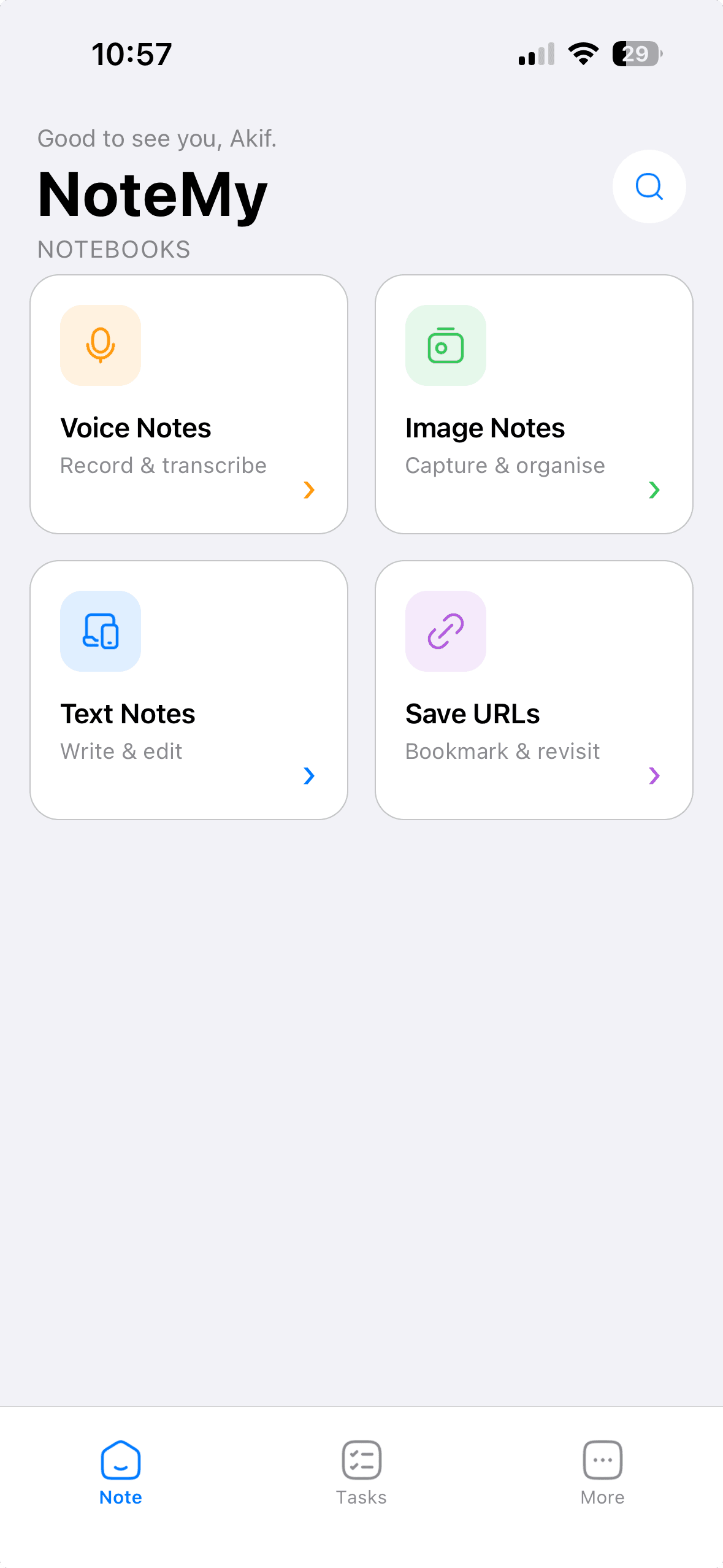
Capture
Four ways in, one place to find it all again.
Tap once, talk, done. Transcribed on-device - audio never leaves your phone unless you ask it to.
Camera or library, with a description and tags attached instantly.
A title and a note. No formatting menus, no friction.
Save any URL from anywhere via the iOS share sheet - copy-paste optional.
Instant access
Every other notes app makes you unlock your phone, find the icon, and wait for it to load. NoteMy skips all of that.
“Hey Siri, add a voice note” - it records, transcribes, and saves. The app never has to open.
Map it once. Every press starts capturing immediately, from the lock screen.
Share a link or photo from Safari or Photos straight into NoteMy, mid-scroll.
Today's tasks and pinned notes, visible without unlocking your phone.
Why NoteMy
Apple Notes is a great archive. NoteMy is for the thought, photo, or link you don't want to lose - saved from the lock screen, transcribed on-device, searchable by meaning.
Siri, the Action Button, and the Share Sheet save a note while other apps are still launching.
Talk once. The transcript is searchable. Audio stays on your iPhone unless you choose to sync it.
Not filenames. Not exact keywords. Meaning. “Money I owe” finds “pay Alex back.”
Collaborate
Share a note with someone else's account, or hand out a read-only link to anyone.
Share any note with someone else's NoteMy account - view-only or full edit access, revocable any time.
Generate a link anyone can open - no NoteMy account needed, view-only, nothing else exposed.
Everything others have shared with you, in one list, the moment they share it.
Privacy
Search “need to pay Alex back” and it finds the note that says exactly that - no shared keywords required, and no one but you even sees the query above.
A lightweight, self-hosted embedding model, not a bolted-on chatbot.
Voice transcription entirely on your phone. Nothing trains a model, nothing is sold, nothing leaves your device for features they don't need it to.
Export everything as JSON any time, and delete your account with real friction against doing it by accident - but zero friction against actually erasing your data for good.
Action Button
No screen, no tap sequence - the recording starts the instant you press, and stops itself when you stop talking.
Pricing
NoteMy Premium
$2.99/ month
3-day free trial included
Subscription auto-renews unless cancelled 24 hours before the period ends. Manage or cancel any time in your Apple ID settings.
FAQ
No. Transcription runs entirely on-device using Apple's Speech framework. Your recording never leaves your phone for that purpose - it's only uploaded (encrypted) to sync the note itself across your account.
NoteMy uses a small, self-hosted embedding model to understand meaning, not just keywords - searching “money I owe” finds a note that says “need to pay Alex back,” even with zero shared words.
Yes to both, any time, from Settings - a full JSON export of everything NoteMy holds, and a permanent account deletion that actually erases your data rather than just deactivating the account.
Yes - share any note by email with view or edit permission, revocable any time, or generate a public read-only link that opens for anyone, no NoteMy account required.
Yes - new subscribers get a 3-day free trial before the $2.99/month charge begins, shown at checkout inside the app. You can cancel any time from your Apple ID subscription settings.
Apple Notes is a filing cabinet. NoteMy is for the moment you need to capture something - a voice memo, a photo, a link - without hunting for an app. Siri and the Action Button start recording immediately, transcription stays on-device, and search understands meaning, not just keywords.
Yes. Map the Action Button, ask Siri, or use the Share Sheet from Safari or Photos. The note is saved without NoteMy ever coming to the foreground.
NoteMy is built as a true native-feeling iOS app - full Apple Human Interface Guidelines fidelity, system colors, dark mode, Siri, Action Button and widgets. Android support is on the roadmap.
Both. Students use it to capture lectures by voice. People at work use it for meetings, follow-ups, and links - without stopping to open an app. It's built for iPhone, including Siri and the Action Button.